
WordPress 7.0 landed on 20 May 2026, and it’s the biggest structural update to the platform since the block editor arrived back in 2018. Named after jazz legend Louis Armstrong and built by more than 750 contributors, this release is less a coat of paint and more a quiet rewiring of how WordPress connects, edits, and presents content.
If you run a WordPress site — whether it’s a brochure site, an online shop, or a content-heavy publication — here’s what’s actually changed, and why it matters that you don’t sit on the upgrade for too long.
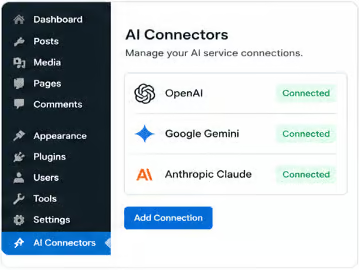
For the first time, WordPress core ships with a standardised way to connect to external AI services. A new Connectors screen lives in your admin and acts as a single hub for managing integrations — including AI providers like OpenAI, Google Gemini, and Anthropic’s Claude.
The core itself stays AI-agnostic. WordPress doesn’t ship an AI model; it ships the plumbing. An optional companion plugin adds editor-level tools — generating titles and excerpts, creating and editing images, and suggesting alt text — and any third-party plugin can plug into the same connection system.
The practical upshot: AI features stop being a tangle of competing plugins each with their own API key fields, and start behaving like a managed part of the platform.
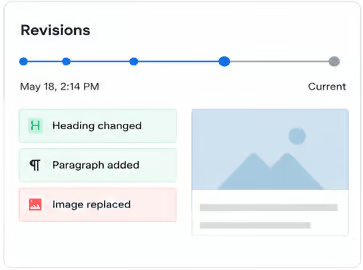
Revision history has always been there, but reviewing it was a chore. WordPress 7.0 introduces a timeline slider with block-by-block visual markers showing exactly what changed between versions. One click restores the version you want. For anyone working with editors, clients, or content teams, this turns “undo” into a proper editorial tool.
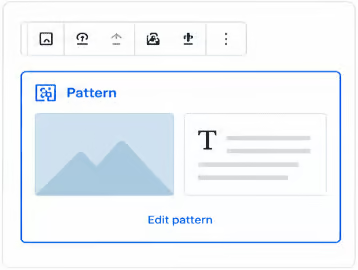
Patterns — the pre-built layouts you drop into a page — used to expand into a forest of nested blocks the moment you placed them, making small tweaks unnecessarily fiddly. In 7.0, a dropped pattern behaves like a single block. Swap the text, change the image, adjust styles in the inspector. When you do need to dig deeper, one click on “edit pattern” gives you full access to everything underneath.

Building a decent mobile or full-screen menu in WordPress has historically meant fighting the theme. The new navigation overlay gives you a proper canvas: add columns, scale up the font, align elements, start from a template or build it from scratch. It’s the kind of feature that should have existed years ago.
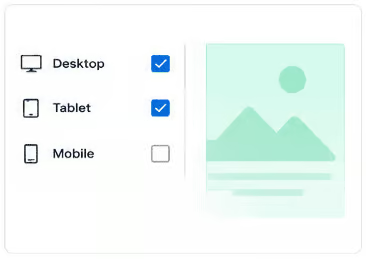
You can now choose which blocks appear at each screen size — desktop, tablet, mobile — directly from the block settings. No more duplicating sections with conditional CSS hacks just to hide a sidebar on mobile.
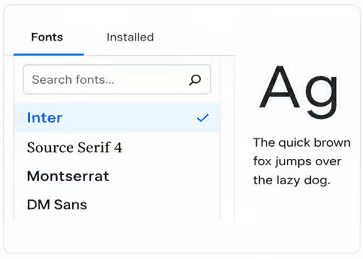
The font library, previously locked to block themes, now works everywhere. Browse, install, and manage fonts directly from the editor regardless of whether you’re on a block theme or a classic one.
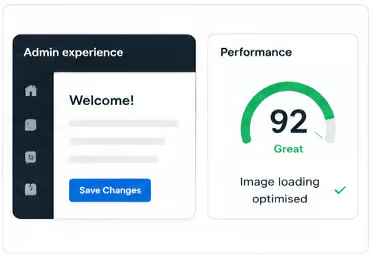
It’s tempting to leave a working site alone. Here’s why that’s a riskier strategy than it looks.
Security. WordPress powers a huge chunk of the web, which makes it an enormous target. Each major release rolls security improvements directly into core, and older versions stop receiving the same level of attention from the security team. Sites running outdated WordPress are the single most common entry point for compromises we see.
The PHP 7.4 floor. WordPress 7.0 raises the minimum PHP requirement from 5.6 to 7.4. If your hosting is still on an older PHP version, you’ll need to bump that up before upgrading — but you should be doing that anyway. PHP 5.6 hasn’t received security updates in years.
Plugin and theme compatibility. The plugin and theme ecosystem moves with core. Sit on an old version long enough and you’ll find new versions of the plugins you rely on quietly dropping support for it. The longer you wait, the bigger the eventual jump.
Editorial efficiency. The new revisions interface, the pattern editing improvements, and the AI Connectors aren’t just nice-to-haves — they’re real time savers for anyone editing content regularly. A faster editorial workflow compounds.
Future-proofing. WordPress 7.0 marks the start of Gutenberg Phase 3, the collaboration and workflow phase. Real-time collaboration is targeted for 7.1, and native multilingual support is on the roadmap for Phase 4. Staying current means you’ll actually benefit from those features when they ship, rather than facing a multi-version leap.
Major version upgrades are best done deliberately, not reactively. A few things we’d recommend:
Major WordPress upgrades are one of those jobs that looks simple until something breaks at 11pm. If you’d rather not gamble with it, we manage WordPress upgrades — including pre-flight checks, staging tests, and full backups — for sites of every shape and size.
Get in touch and we’ll get your site safely onto WordPress 7.0.


© Enrapture Limited - Building online solutions since 2009
Guernsey registered company number: 50810
Office of Data Protection Registration ID: DPA7171